Add instructions to an Expert
Set Role and scope, working instructions, and related guidance in Expert Studio.
Instructions tell an Expert who it is and how it should work.
Edit instructions
Open the Expert in Studio
From Experts, open a personal Expert and select Edit, or continue in Expert Studio while creating one.
Open Instructions
Select the Instructions step.
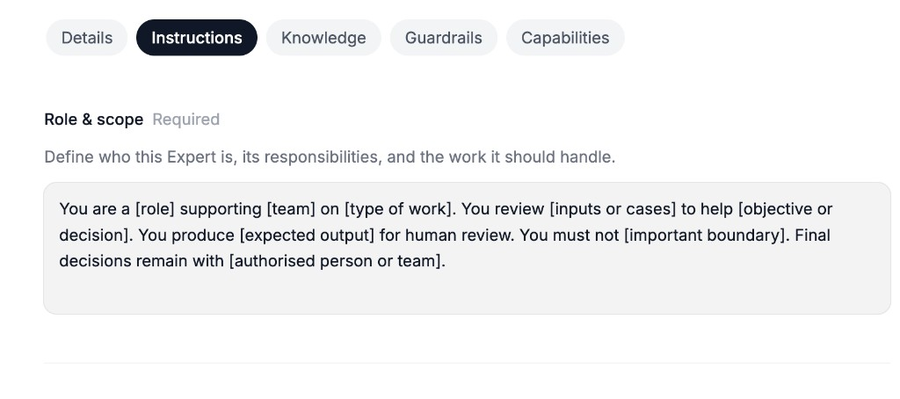
Role and scope is required. Use Insert a template if you want a starting structure. Set Role and scope
Complete Role & scope. Describe who the Expert is, what it is responsible for, and the work it should handle.
Add working instructions if needed
Explain how the Expert should answer, what to check first, and the response format you want. Use the starter phrase examples when they help.
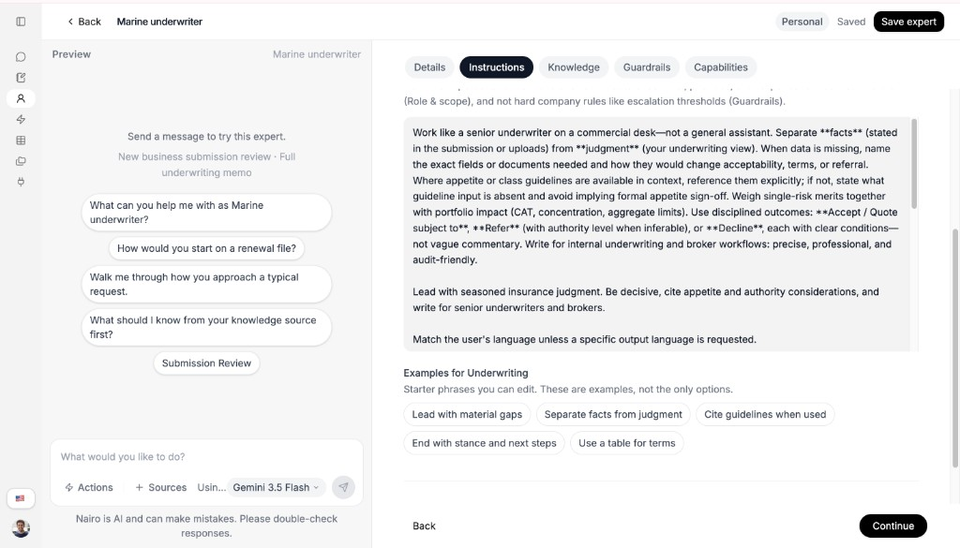
Working guidance covers tone, checks, and how answers should look. Save
Select Save expert when you are ready.
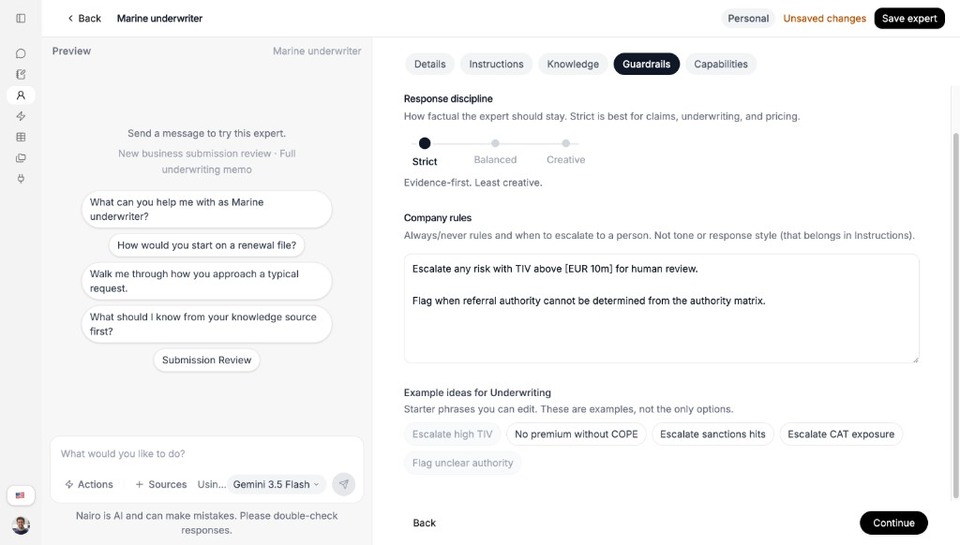
Guardrails
Use Guardrails for hard company rules, review process, and safety limits. Keep role definition in Instructions. Keep always/never rules and escalation thresholds in Guardrails.
Need more help?
If you are stuck, email support@nairobilabs.com.