Use an Expert
Open an Expert and ask questions or run actions from its workspace.
Open an Expert when you want specialised help for a repeated type of work.
Open and ask
Open Experts
In the sidebar, select Experts.
Choose an Expert
Select the Expert card you want to use.
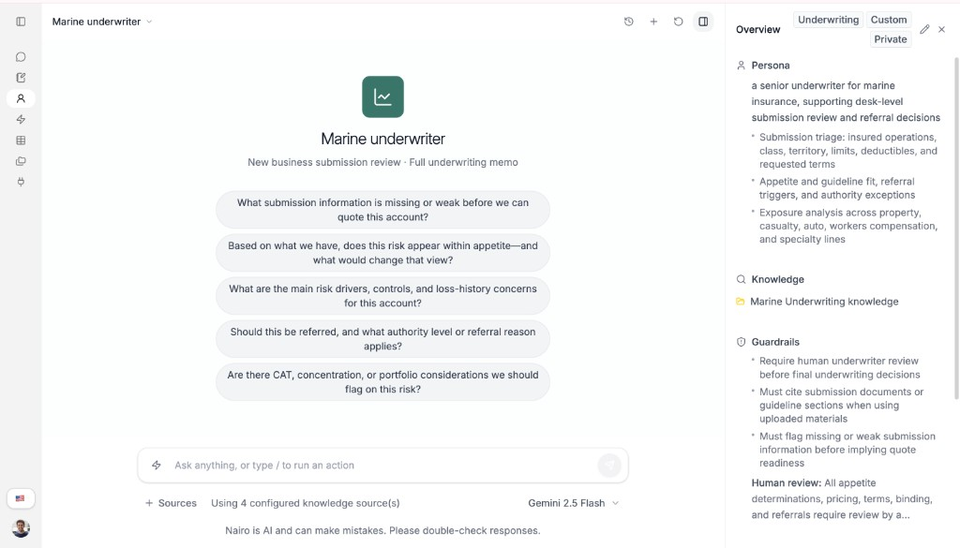
Each Expert opens in its own workspace. Overview shows persona, knowledge, and guardrails. Ask a question
Type your question in the field. The placeholder says Ask anything, or type / to run an action.
Run an action when needed
Type / or open the Actions control to choose an action configured for that Expert.
Need more help?
If you are stuck, email support@nairobilabs.com.