Add knowledge to an Expert
Attach reference or guideline files so an Expert can use them as source material.
Knowledge files give an Expert source material to work from. Adding knowledge is optional, but useful when answers should follow your documents.
Attach knowledge
Open Expert Studio
Open a personal Expert for editing, or stay in Studio while creating one.
Open Knowledge
Select the Knowledge step.
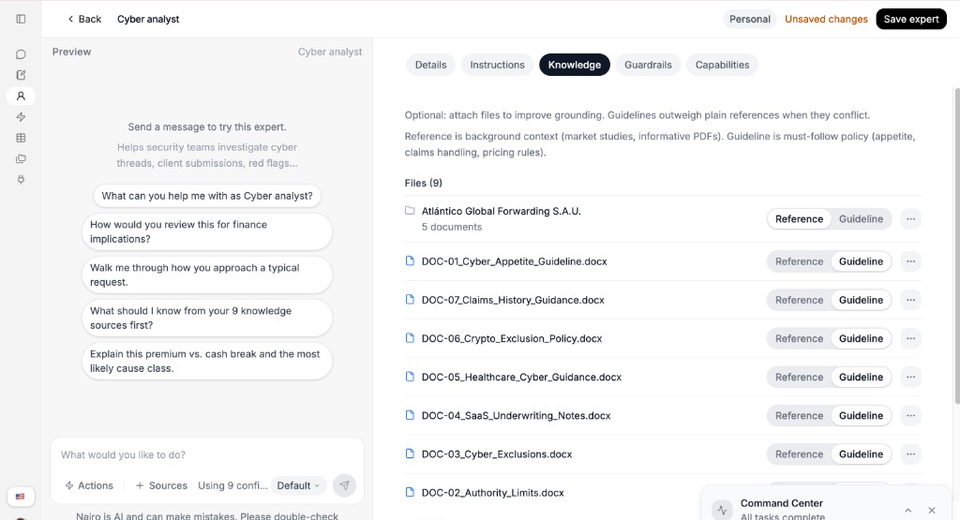
Mark each file as Reference or Guideline. Guidelines win when they conflict. Attach files
Select Attach, then choose Upload from computer or Select from Library. You can also drag and drop files when that option is shown.
Choose the knowledge role
Set each file as Reference for background context, or Guideline for must-follow policy.
Wait for processing, then save
Wait until processing finishes if a file shows Processing…, then select Save expert.
Need more help?
If you are stuck, email support@nairobilabs.com.