Create your first Expert
Create a personal Expert in Expert Studio and save it for your team to use.
Create a personal Expert when you need a specialised setup that is not already available.
Create an Expert
Open Experts
In the sidebar, select Experts.
Start creating
Select Create expert. Nairo opens Expert Studio.
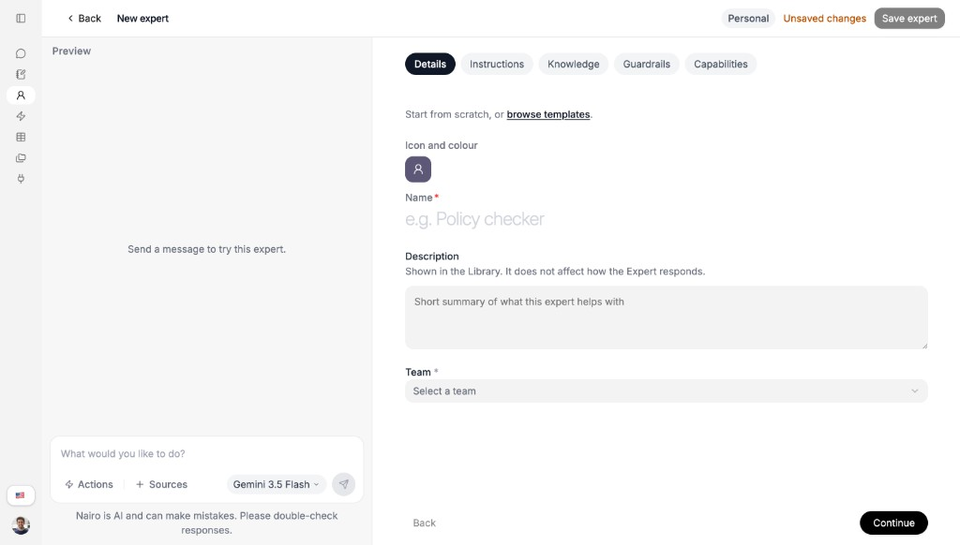
Expert Studio walks you through the setup steps. Complete Details
On Details, set a Name and optional Description. You can also choose an icon, colour, and team.
Optional: start from a template
Select browse templates if you prefer not to begin from scratch. Choose a Nairo template to seed your personal copy, then edit anything you need.
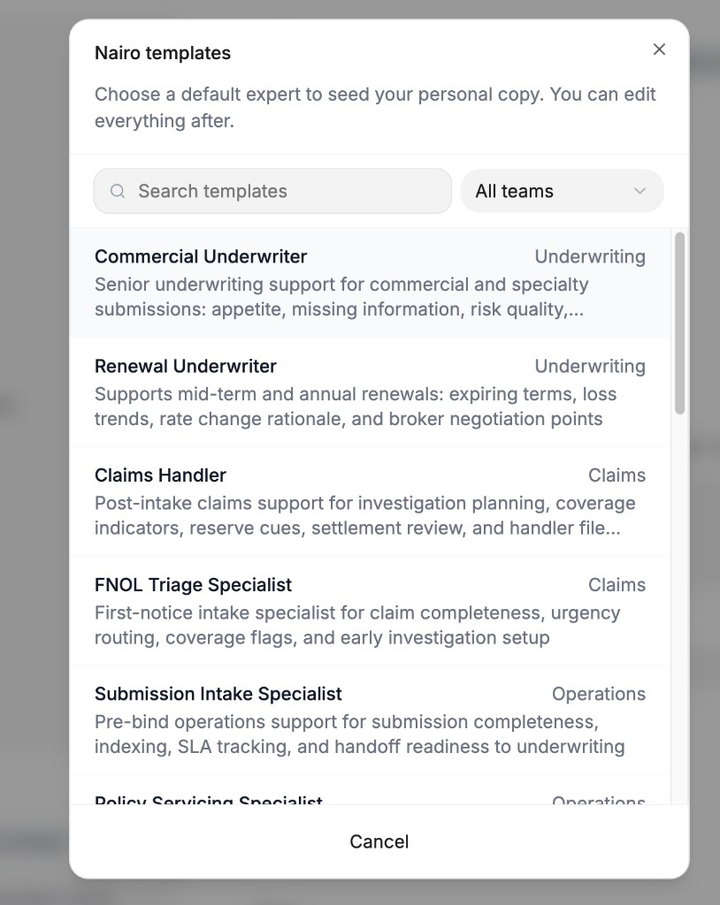
Templates give you a starting role you can edit after. Continue through the setup steps
Use Continue to move through Instructions, Knowledge, Guardrails, and Capabilities. Add what you need now; you can refine later.
Optional: attach Actions
On Capabilities, turn on Actions and select Configure to choose which workflows this Expert can run from chat.
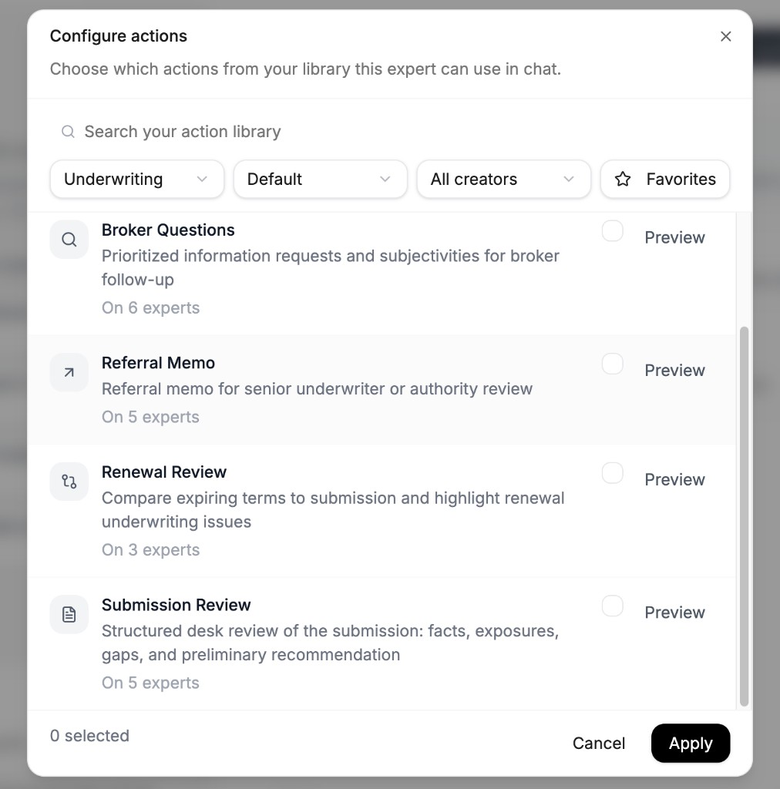
Pick Actions from your library for this Expert. This is not the Actions page itself. Save the Expert
Select Save expert. When changes are stored, you may see Saved.
Edit, duplicate, or delete
Only personal experts can be edited in Expert Studio. From Browse experts, open the card menu on a personal Expert to Edit, Duplicate, or Delete. Nairo experts stay as provided unless you customize a personal copy.
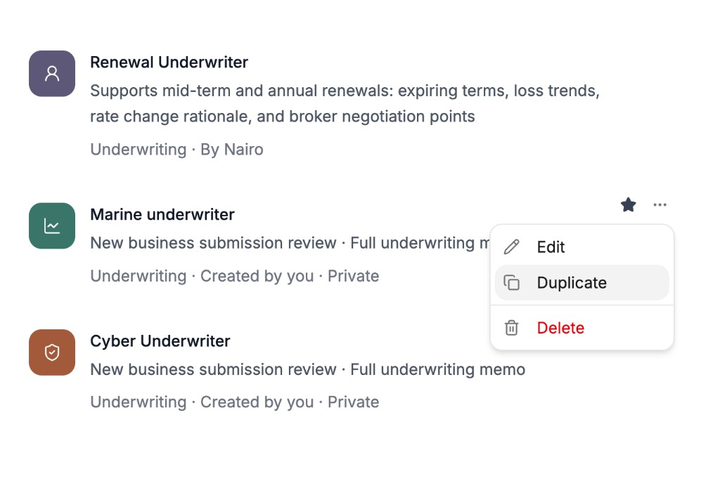
Need more help?
If you are stuck, email support@nairobilabs.com.