Models available in your workspace
See which AI models you can use in Assistant. Availability depends on your organisation.
Assistant can use different AI models. The models available to you depend on what your organisation has enabled or approved. There is no single fixed catalogue for every customer.
See the models in your workspace
Open Assistant
In the sidebar, select Assistant.
Open the model selector
Near the question field, open the model selector. It shows the model currently in use.
Review the list for your workspace
Open the list and review the models shown for your organisation. Some options may show Soon and are not available yet.
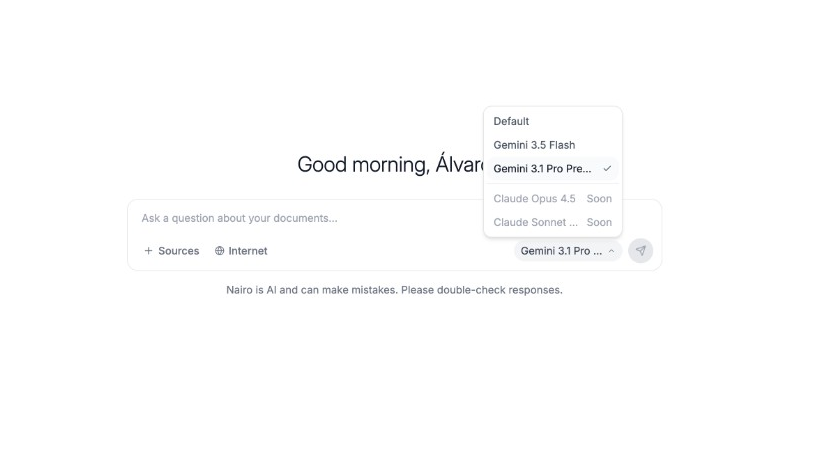
The models you see depend on your organisation. Soon means not available yet. Select an available model
Choose a model that does not show Soon, then continue with your question.
Need more help?
If you are stuck, email support@nairobilabs.com.