Start your first conversation
Ask your first question in Assistant and open a new conversation.
Use Assistant when you want to ask a question or explore a topic in Nairo.
Start a conversation
Open Assistant
In the sidebar, open Assistant.
Type your question
In the question field, type what you want to know. The field shows the placeholder Ask a question about your documents…
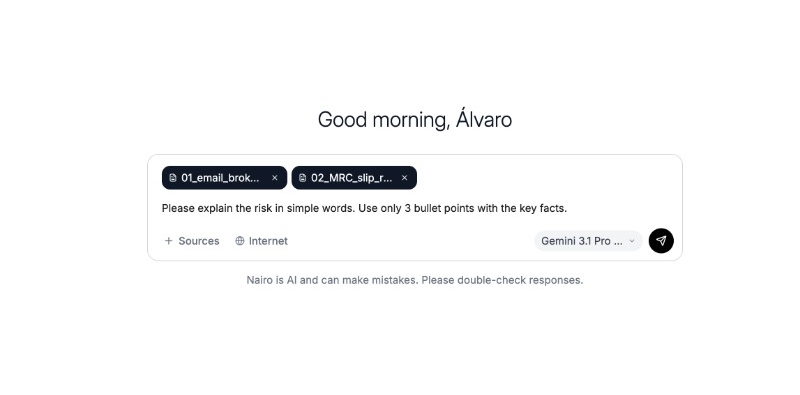
Write a clear question before you send it. Attach documents when the answer depends on your files. Send your message
Send your message to start the conversation.
Review the response and continue the conversation
Read the response, then ask a follow-up question in the same conversation if you need more detail.
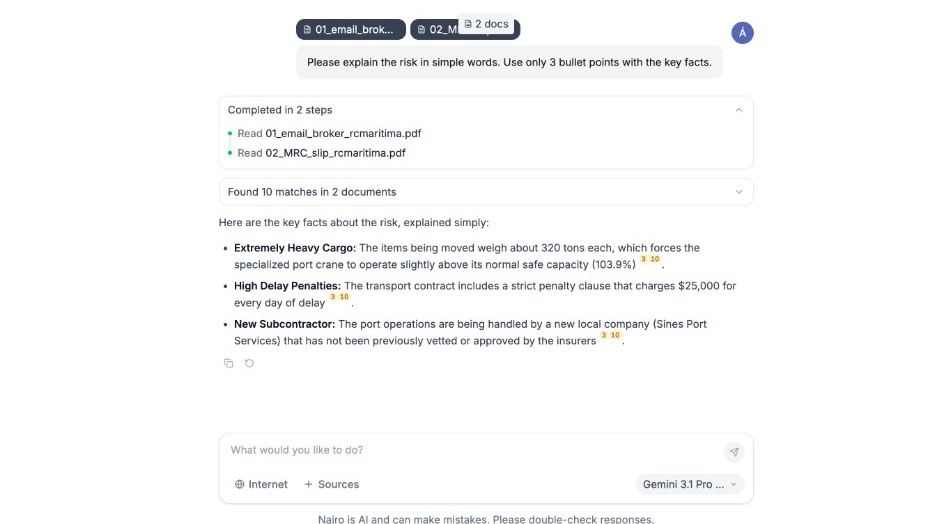
Review the reply and open citations when they appear.
What happens next
After you send a message, you can keep asking follow-up questions in the same conversation, choose a different model, or add documents for more context.
Need more help?
If you are stuck, email support@nairobilabs.com.