Choose an AI model
Select which AI model Assistant uses for your conversation.
Assistant can use different AI models. Choose a model before you ask if your workspace offers more than one option.
Steps
Find the model selector
Near the question field, open the model selector. It shows the model currently in use.
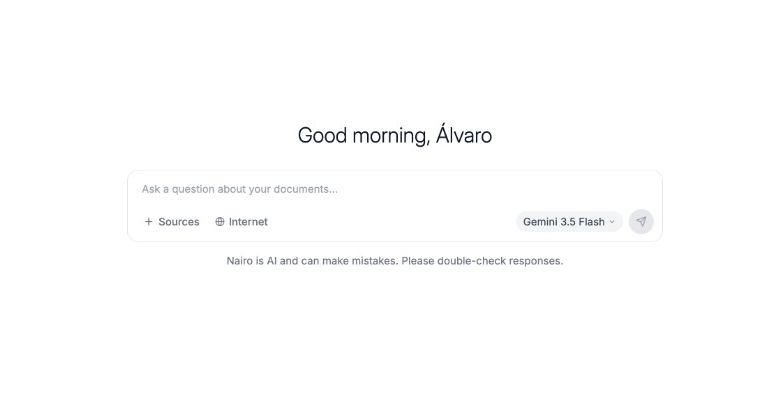
The model selector sits near the Assistant composer. Review available models
Open the list and review the models you can use.
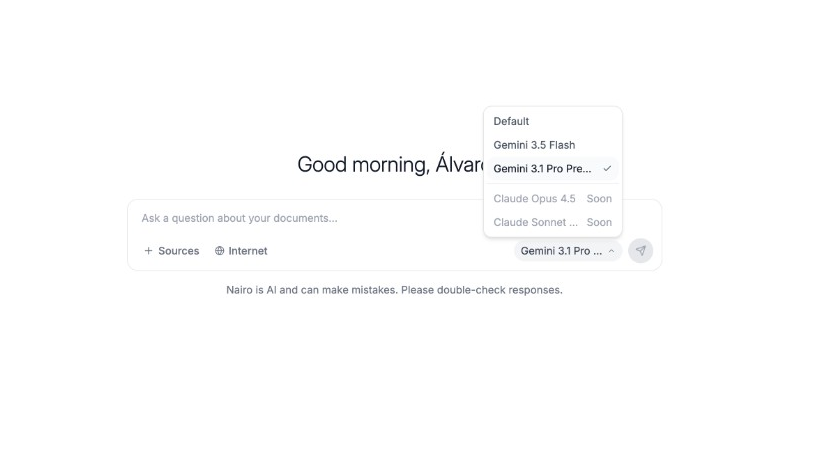
Some models may show a Soon badge and are not ready yet. Select a model
Choose an available model. The selector updates to show your choice.
Continue with your question
Type your question and send it as usual.
Need more help?
If you are stuck, email support@nairobilabs.com.