Removing content from Nairo
How to remove Projects and other items from your active workspace, and when to make a formal privacy request.
You can remove many items you manage from your active workspace when you no longer need them. What you can remove depends on your role and the item.
In the product, the control may be labelled Delete. That action removes the item from normal day-to-day use in your workspace. It is not the same as a formal privacy or contractual deletion request.
Remove a Project from your workspace
Open Projects
In the sidebar, select Projects.
Open Project options
On the Project row, open the options menu, then select Delete.
Confirm
Read the confirmation carefully, then confirm only if you intend to remove the Project from your active workspace.
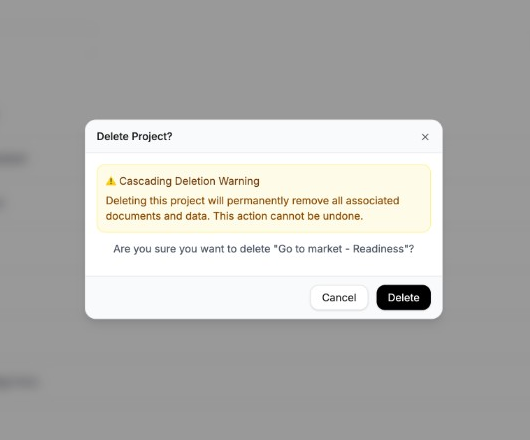
Confirm only when you intend to remove the item from your active workspace.
Other workspace content
Other areas of Nairo may also offer a delete or remove action for items you manage, such as conversations or documents. Use those actions only when your role allows it and your organisation’s process permits it.
Formal privacy or deletion requests
If you need a formal privacy deletion request, or help with data deletion under your organisation’s agreement with Nairo, do not rely on the in-product remove actions alone.
Email privacy@nairobilabs.com, or follow the process described in the Privacy Policy.
Need more help?
If you are stuck, email support@nairobilabs.com.