Review and edit results
Open cell details to review answers and citations, then re-run extraction when needed.
Review extracted answers before you rely on them. Open a row to inspect details, then re-run extraction if the answer needs another pass.
Review results
Open the table
Open your Insight Table review.
Select a document row
Select a row to open the detail panel for that document.
Read the answers
For each column, review Answer. When Reasoning is available, use it to understand how the value was produced.
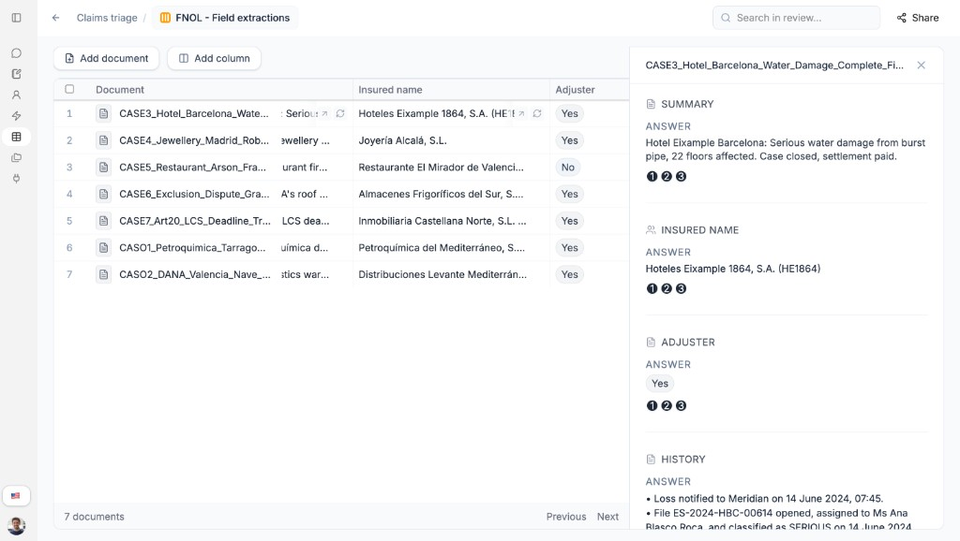
Open a row to inspect answers and citation badges for each column. Check citations when shown
If citation badges appear, open them to review the related document passage in the viewer.
Re-run when needed
If an answer is incomplete or wrong, improve the column prompt or documents, then re-execute the cell or column.
Need more help?
If you are stuck, email support@nairobilabs.com.