Run an Action
Open an Action, complete the required inputs, and run the workflow.
Run an Action when you want a guided workflow with clear inputs and outputs.
Run from the Actions area
Open Actions
In the sidebar, select Actions.
Open the Action
Select the Action card, or open its menu and choose Run now or View details. The same menu also offers Duplicate, Edit, and Delete for actions you can manage.
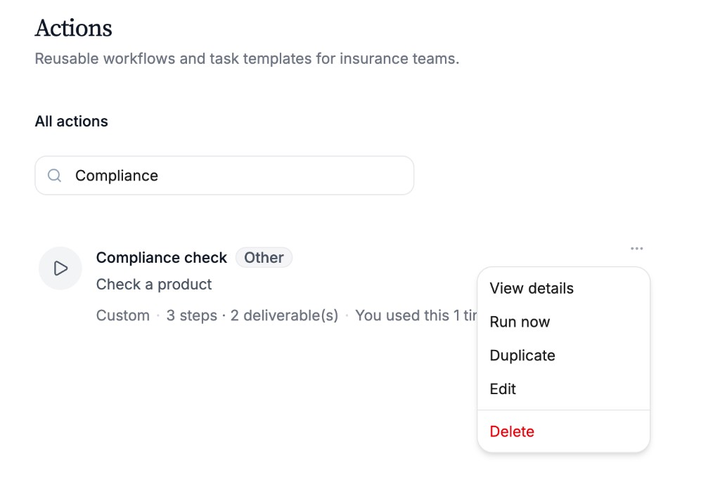
Use the card menu to open, run, or manage an Action. Complete the required inputs
In the Process area, select the input chips and provide what the Action needs. Required chips are marked with an asterisk. Nothing is sent automatically.
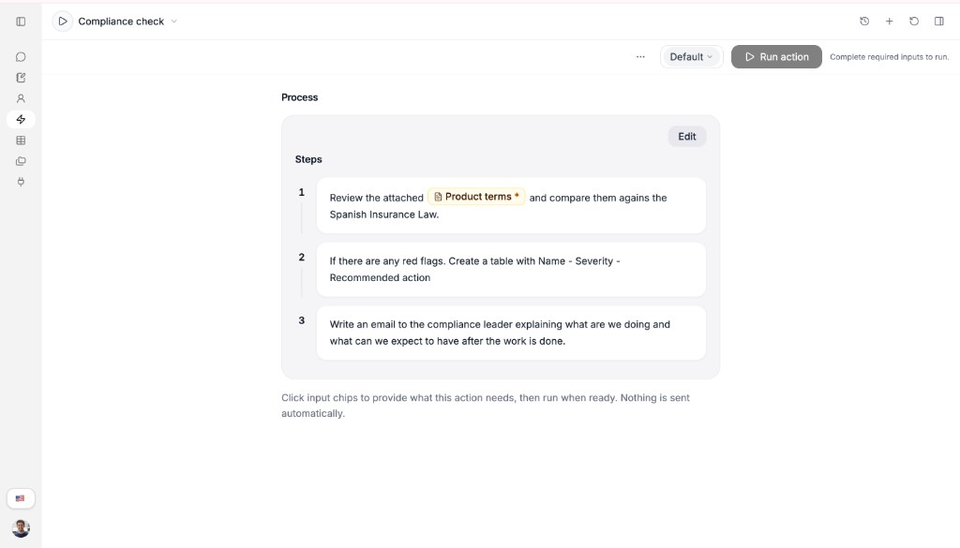
Complete required inputs before you run. The button stays disabled until they are ready. Check Details if you need a reminder
Open the details panel to review About this action, Inputs, Expected outputs, and Run status.
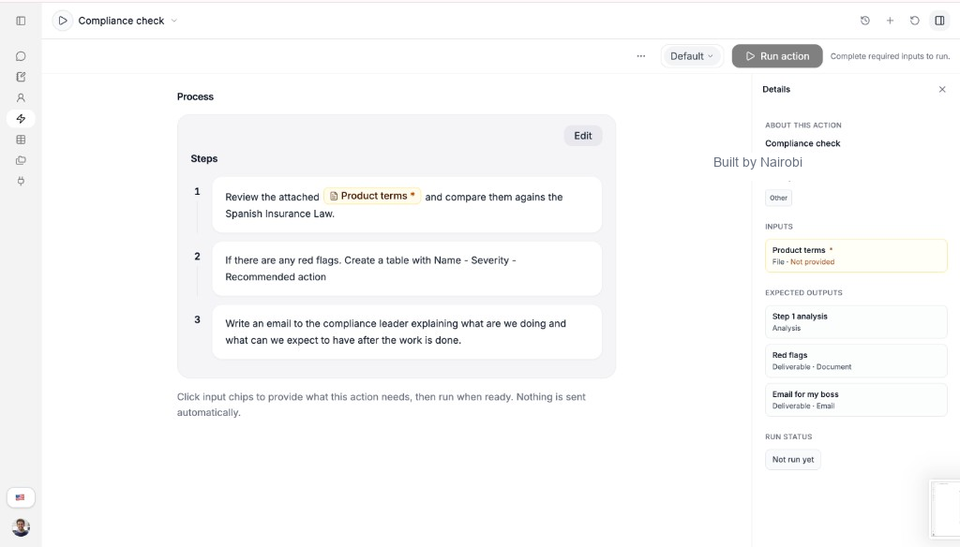
Details lists required inputs and what the Action is expected to produce. Run the Action
Select Run action when required inputs are complete.
Review the result
Read the output when it is ready. Use follow-up options if they appear, and check Run status in Details for progress.
Run from an Expert chat
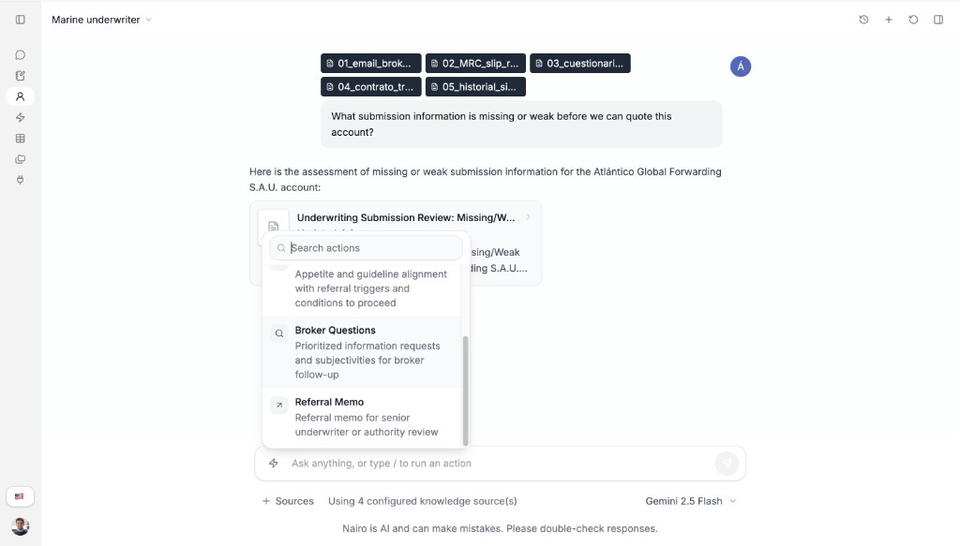
In an Expert workspace, type / or open the Actions control, then choose an Action configured for that Expert.
Need more help?
If you are stuck, email support@nairobilabs.com.