What is an Action?
Learn how Actions provide reusable workflows you can run for common tasks.
An Action is a reusable workflow for a common task. Use Actions when you want a guided process with defined inputs, instead of starting from a blank question every time.
Where to find Actions
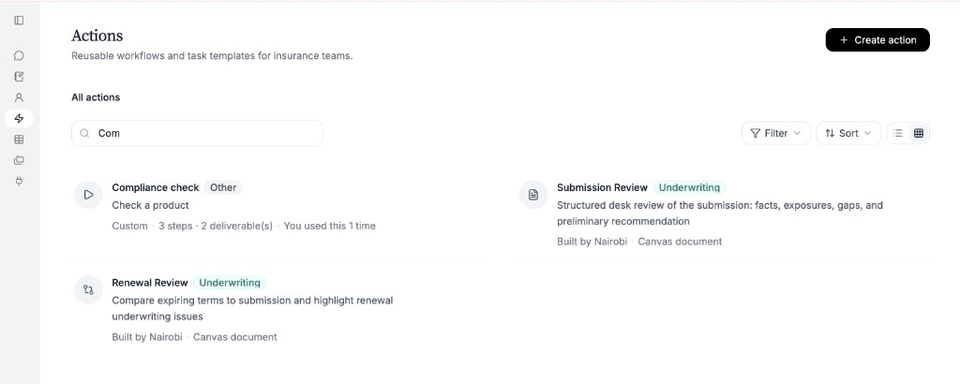
In the sidebar, open Actions. Favourites appear at the top. Browse the full list under All actions, or use search, filter, and sort.
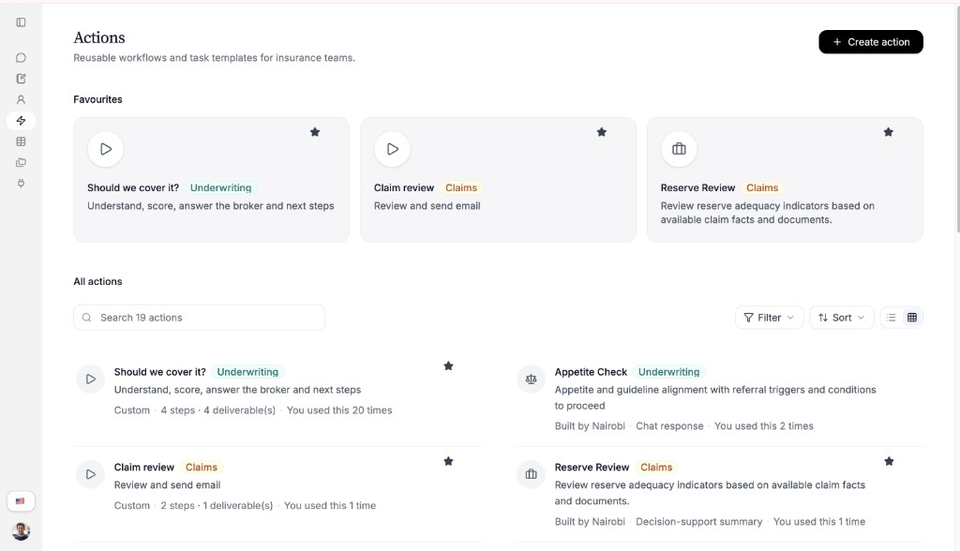
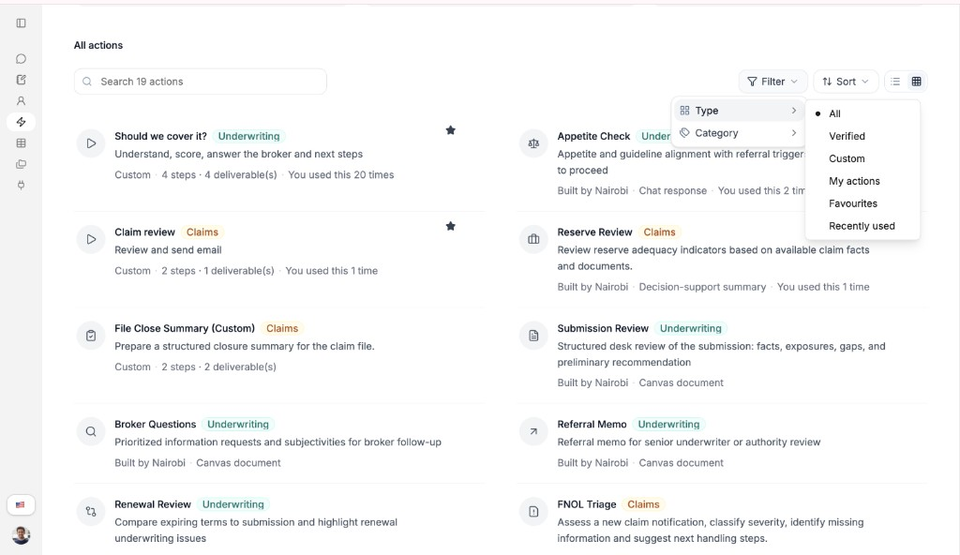
You may see labels such as Built by Nairobi, Custom, or Verified. Use Filter to narrow by type or category.
Open an Action
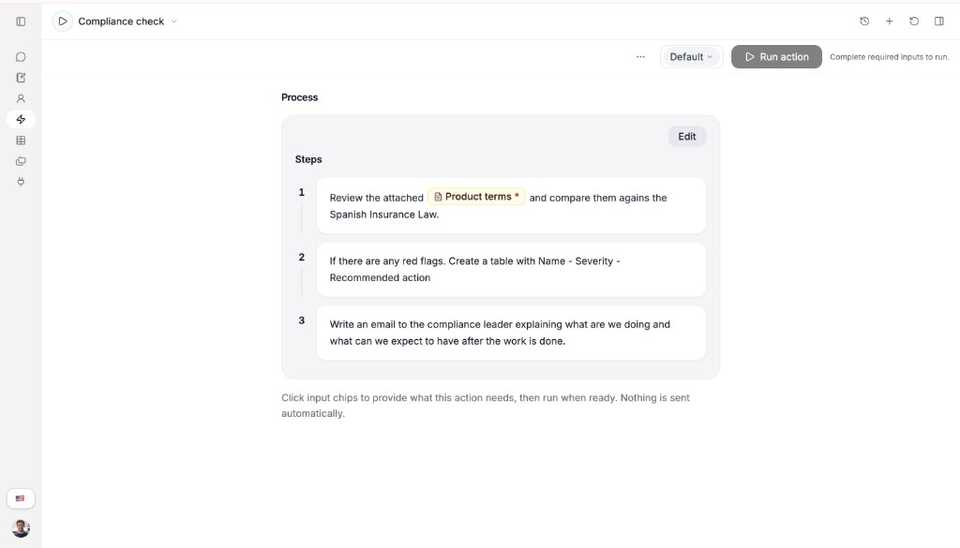
Select an Action card to open its workspace. You will see the Process steps, required inputs, and Run action.
What an Action includes
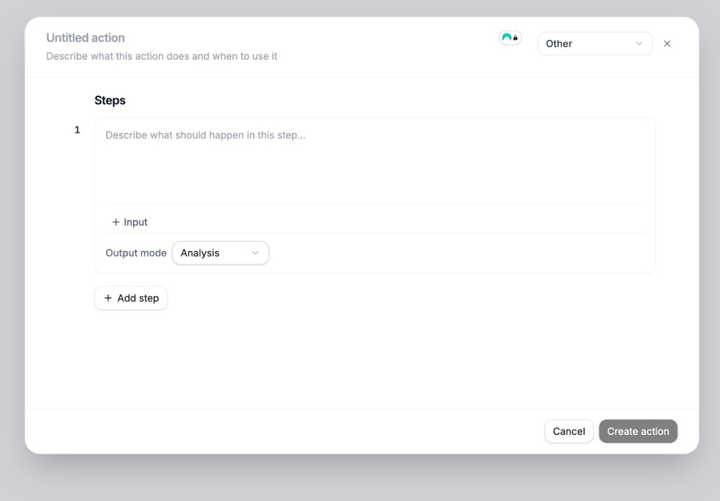
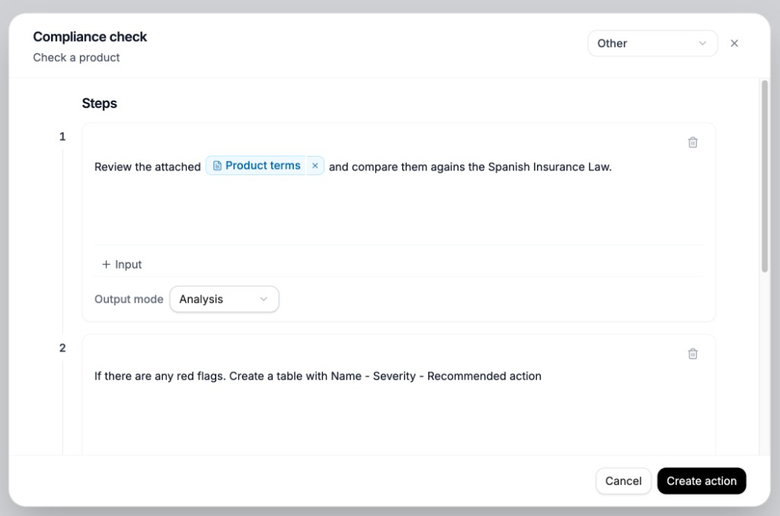
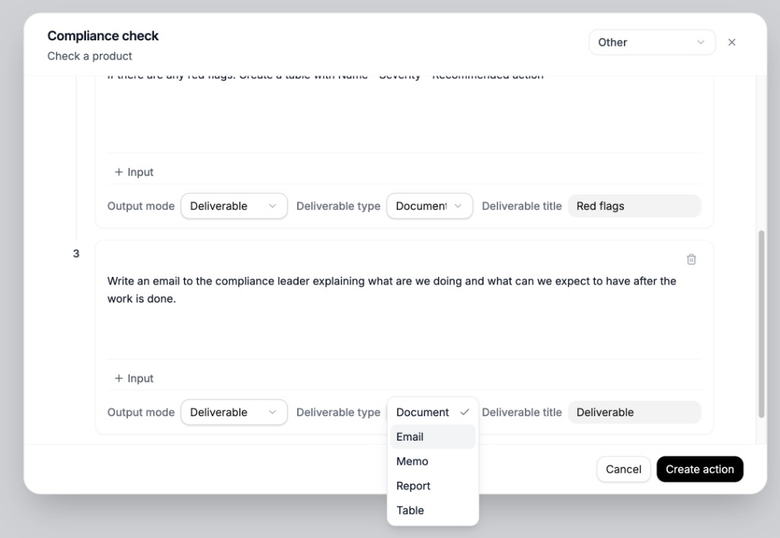
An Action is built from ordered Steps. Each step can take inputs and produce an analysis or a deliverable such as a document, email, memo, report, or table.
Select Create action to start a new one. Custom Action creation is evolving as Actions move to the backend.
Use search when the library is long.
Actions and Experts
Experts can include Actions in Capabilities. From an Expert chat, you can run those Actions with / or the Actions control.
Need more help?
If you are stuck, email support@nairobilabs.com.