Create an Insight Table
Create a workspace and a new review session so you can build your table.
Create a workspace first, then create a review session. The review opens as your Insight Table grid.
Create a workspace
Open Insight Table
In the sidebar, select Insight Table.
Create a workspace
Select the + control next to Workspaces, or Create Workspace if you see that welcome action.
Name the workspace
Enter a Workspace Name, then select Create.
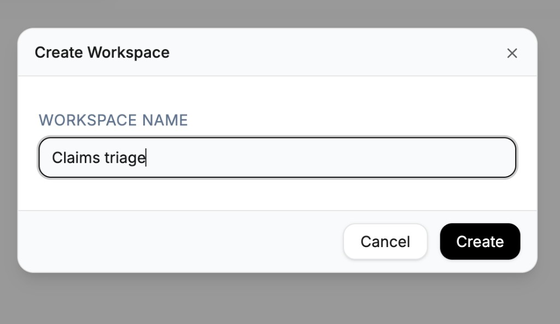
Workspaces group related reviews.
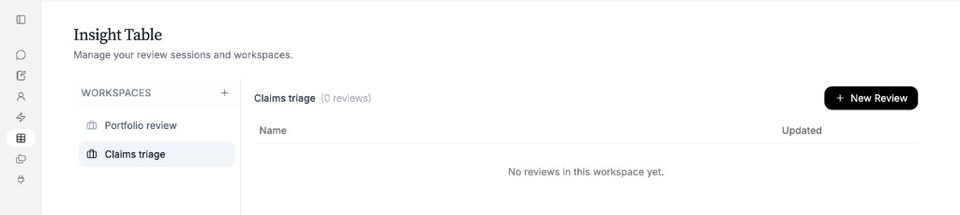
A new workspace starts with no reviews yet. Use New Review to create the first session.
Create a review
Select the workspace
In the Workspaces list, select the workspace you want.
Start a new review
Select New Review.
Name the review
In New Review Session, enter a Review Name. Add an optional description if useful.
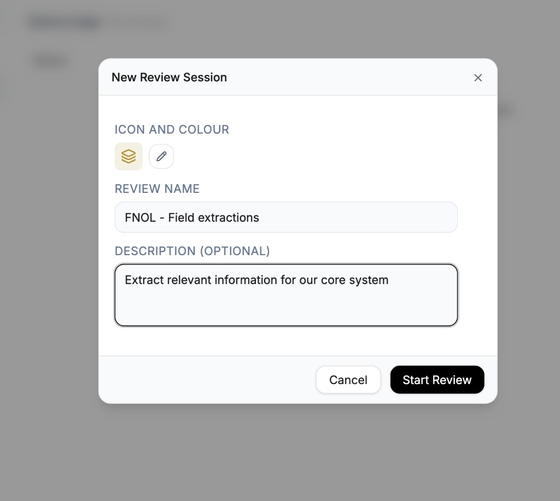
Start Review opens the table for that session. Start Review
Select Start Review. Nairo opens the table so you can add documents and columns.
Need more help?
If you are stuck, email support@nairobilabs.com.