Create your first Project
Create a Project so you can add documents and ask questions in one place.
A Project keeps related documents and conversations together. Create one when you start work on a risk, case, or piece of analysis.
Create a Project
Open Projects
In the sidebar, select Projects.
Start a new Project
Select Create Project. If you have no projects yet, you can also select Create Your First Project.
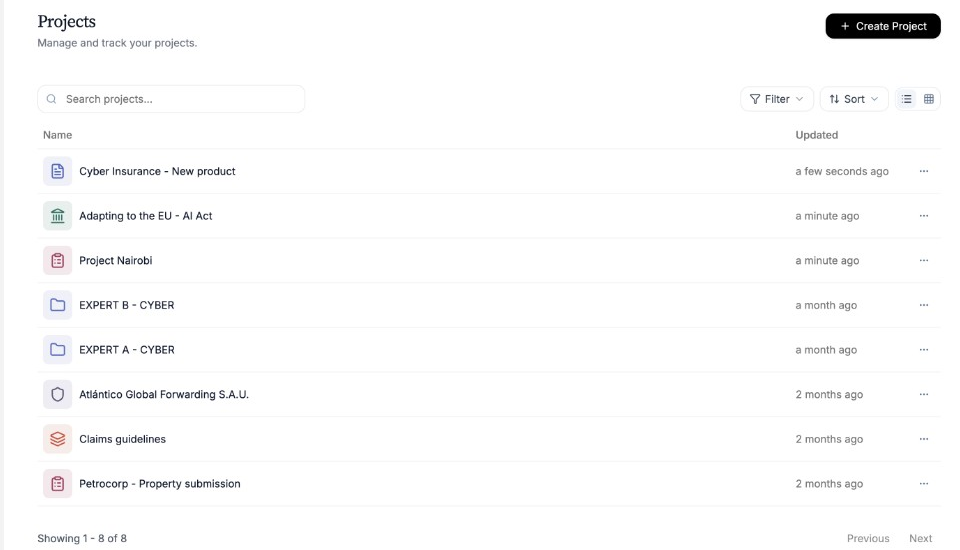
Open Projects, then create a new one. Name your Project
In the New Project window, enter a Project Name. You can also choose an icon and colour if you want.
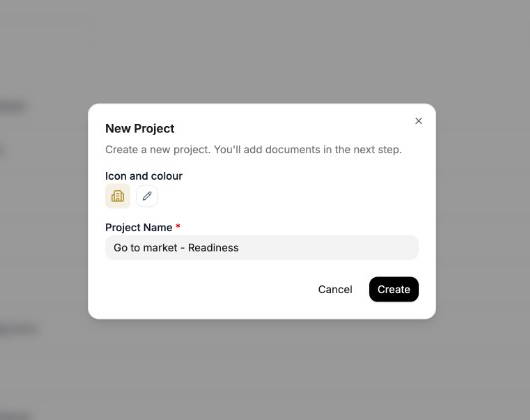
Give the Project a clear name you will recognise later. Create
Select Create. Nairo opens the Project so you can add documents next.
Need more help?
If you are stuck, email support@nairobilabs.com.