Review sources and responses
Check where an Assistant answer came from and double-check important details.
Before you use an answer, check the response and any sources Assistant used.
Review a response
Read the full reply
After Assistant answers, read the response in the conversation. Look for missing context, numbers that seem off, or claims that need checking.
Check citations when they appear
Some replies include numbered citations. Open a citation to see the related document page or web source when available.
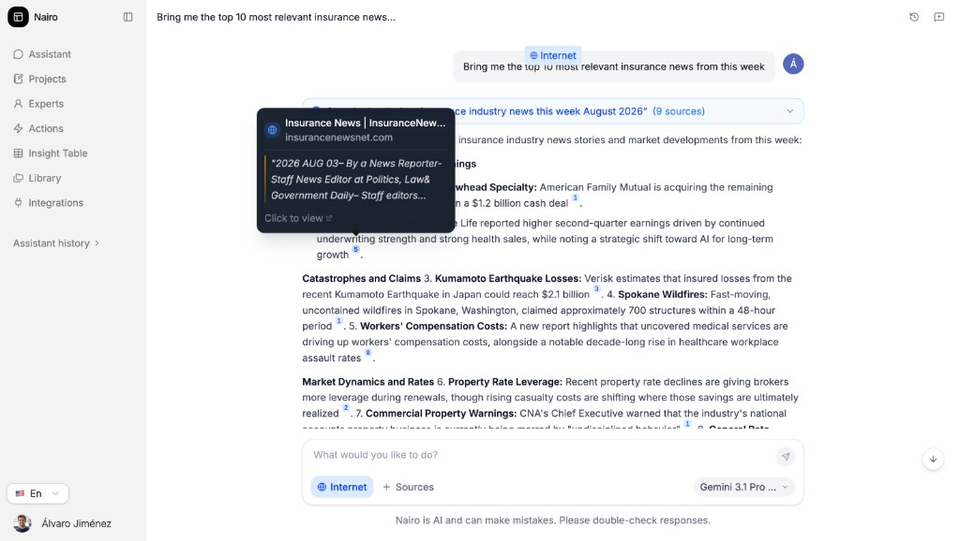
Open a citation to preview the web or document source. Confirm what sources you attached
If you asked about your files, confirm that the right documents were added under Sources before you trust a file-based answer.
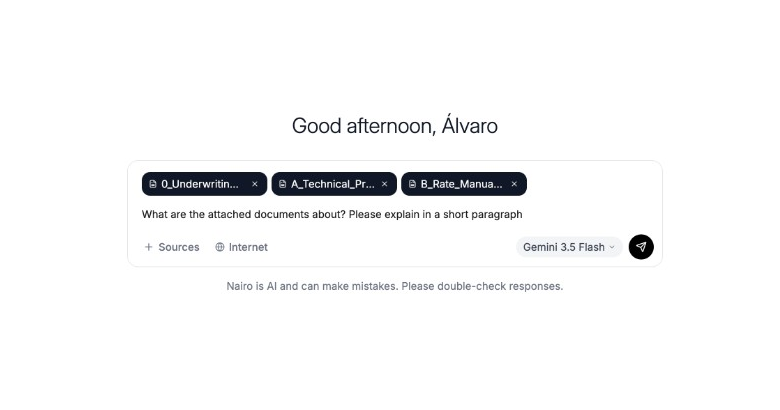
Attached sources help explain what Assistant could use. Watch internet search progress when it appears
When Internet is on, Assistant may show search steps such as Searched web and how many sources it found. Use that as a clue, then verify the final answer yourself.
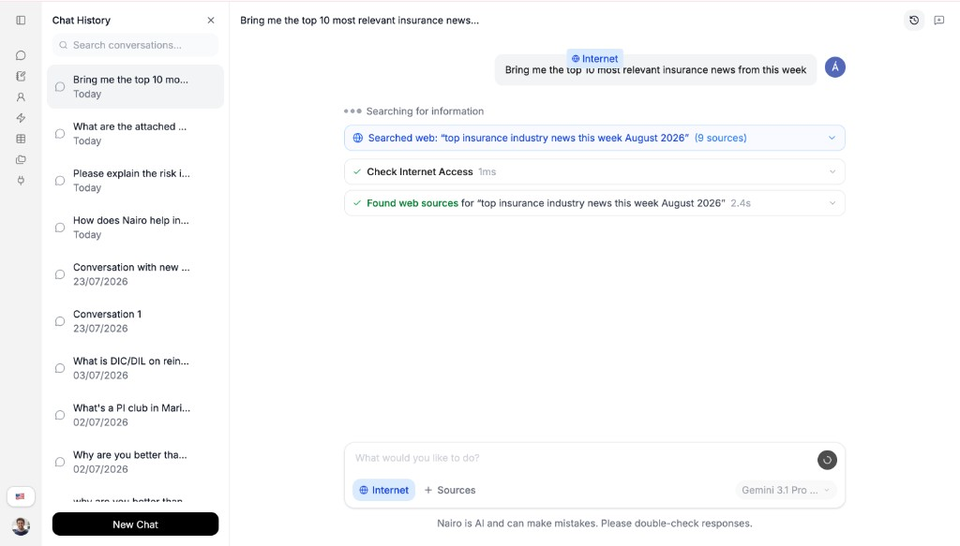
Internet search progress shows what Assistant consulted. Ask a clarifying follow-up if needed
If something is unclear, ask Assistant to point to the exact section, quote the source wording, or limit the answer to one document.
Need more help?
If you are stuck, email support@nairobilabs.com.