Generate a document
Use Create in Assistant to draft a document, then open it with View Document.
You can ask Assistant to draft a document for you. Use Create in the composer when you want a document in the side panel, then open it from the conversation.
Create and open a document
Open a conversation
Open Assistant and start or continue a conversation. The same Create control is also available in Projects and Experts.
Select Create, then Doc
In the composer, select Create, then choose Doc. Assistant fills a short prompt starter you can complete.
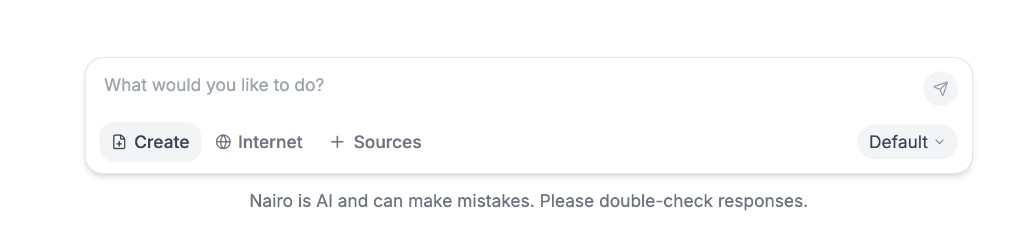
Create sits next to Internet and Sources in the composer. 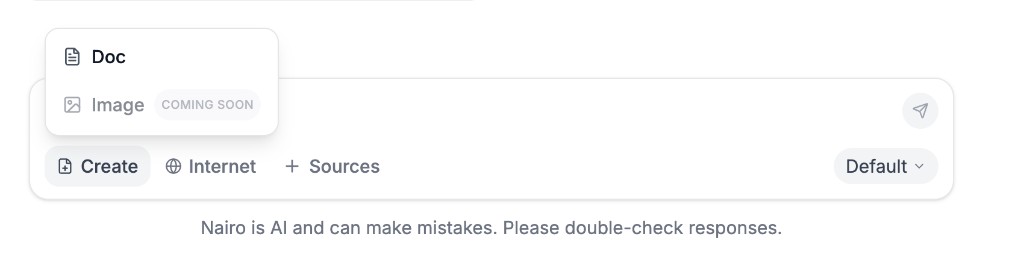
Choose Doc to start a document draft. Image is marked Coming soon. Finish the prompt and send
Complete the prompt with the topic or details you need, then send your message. You can also ask for a document in your own words without using Create.
Wait while the document is prepared
Assistant may show progress such as Generating… or Preparing document while the draft is created. A document panel can open automatically.
Open the document
When the reply includes a document link, select View Document to open it.
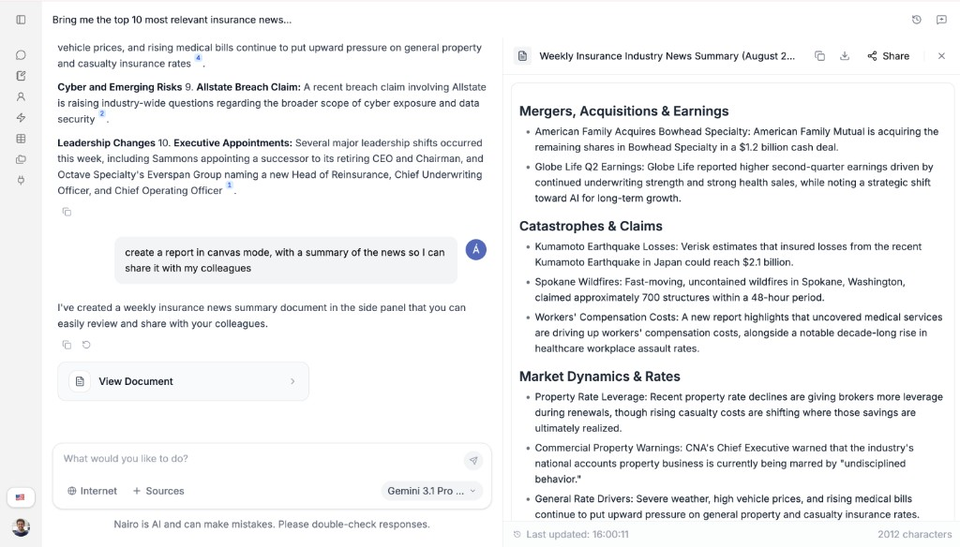
Use View Document to open the draft. Review the draft
Read the document in the panel. Edit the text if you need to, then keep asking follow-up questions in the chat if you want changes.
Share the document if needed
In the document panel, select Share to invite others and see who already has access.
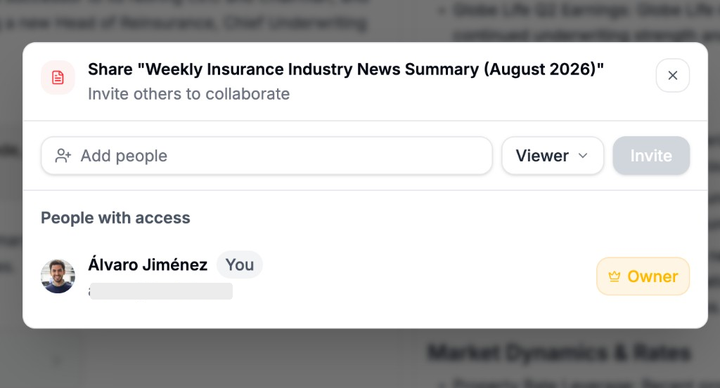
Invite people and choose a permission such as Viewer.
Need more help?
If you are stuck, email support@nairobilabs.com.